


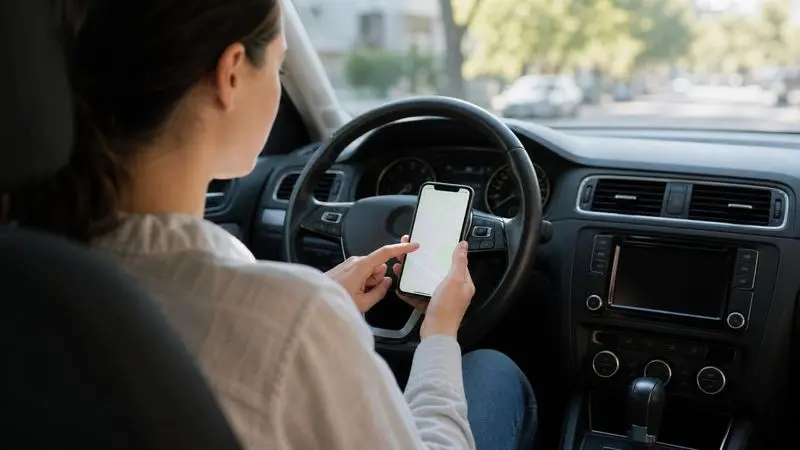
For anyone comfortable letting technology handle the boring parts of life, mileage tracking is low-hanging fruit. If you drive for work, every business mile you log carries a deductible value, yet most people capture only a fraction of it because manual tracking relies on a discipline nobody keeps up. This is exactly the sort of repetitive task that software handles far better than humans. A modern Mileage Tracking App uses your phone’s sensors to record every drive automatically, sort business from personal, and generate a tax-ready report, turning a tedious chore into a fully automated background process. This guide covers how it works and why it is worth setting up.
A Task Built for Automation
Some jobs are perfect candidates for automation, and mileage tracking ticks every box. It is repetitive, rule-based, easy to forget, and costly to get wrong, the exact profile of a task machines should own.
- Repetitive: the same log-this-trip action happens on every drive.
- Rule-based: each trip is either business or personal, a clean split software can assist.
- Easy to forget: on a busy day, manual logging is the first thing to slip.
- Expensive when missed: every unlogged mile is a lost deduction worth real money.
When a task has all four traits, handing it to software is almost always the right call. A sensor that never gets tired or distracted beats human memory every time.
How the App Works Under the Hood
A good mileage app is more capable than it looks. It combines several signals to detect, record, and organize your driving without any input from you.
| Component | What it does |
|---|---|
| Motion detection | Senses when you have started driving |
| GPS logging | Records route, distance, and endpoints |
| Automatic trip capture | Starts and stops without a manual timer |
| Classification assist | Speeds up sorting business vs. personal |
| Cloud sync | Backs up every trip so nothing is lost |
The result is a complete, timestamped record of your driving captured as it happens. You are no longer the weak link, because the app does not rely on you remembering anything. The only human step is confirming which trips were for business, and that can be batched into a quick weekly review.
The Payoff Is Real
Automation is only worth it if the return is real, and here it clearly is. The IRS lets you deduct a set amount per business mile. For 2026 that was 72.5 cents per mile in the first half of the year and 76 cents from July onward.
| Business miles per year | Deduction at 76¢/mile |
|---|---|
| 3,000 | $2,280 |
| 6,000 | $4,560 |
| 10,000 | $7,600 |
| 15,000 | $11,400 |
These deductions come off your taxable income directly. For a regular driver, automated tracking routinely captures thousands of dollars that manual methods leave behind, simply because the software never forgets a trip and never undercounts the short ones.
Clean Data In, Clean Deduction Out
Any developer knows the principle: garbage in, garbage out. Mileage deductions follow the same rule. Your deduction is a product of your rate and your logged miles, so any error in the record flows straight into the result.
- Missing trips bias your deduction downward.
- Misdated trips can be valued at the wrong rate, a real risk with the 2026 mid-year change.
- Misclassified trips overstate or understate your business use.
- Reconstructed logs are both inaccurate and legally weak.
Automated capture solves all of these by recording clean, dated, complete data as it happens, and it applies the correct rate to each period automatically, handling the July 1 change that manual calculators so often miss.
Compliance Without the Hassle
A deduction only counts if the record meets IRS standards, another area where the app quietly does the work. The IRS wants a contemporaneous log with the date, distance, locations, and purpose of each trip. The app captures the first three automatically and lets you add the purpose in a tap, producing exactly the kind of documentation that survives an audit. The official requirements are on the IRS standard mileage rates page, worth reading once so you know what a defensible record looks like.
Setting It Up
Getting started takes minutes and pays off for as long as you use it.
- Install and enable automatic detection so tracking begins immediately.
- Let it run in the background and capture your drives without effort.
- Do a weekly classification pass, swiping trips into business or personal.
- Export a report at tax time for yourself or your accountant.
That is the whole commitment. The automation handles the heavy lifting, and you keep the deduction it captures.
Manual vs. Automated: The Comparison That Settles It
Seen side by side, the case for automation is hard to argue with.
| Factor | Manual log or spreadsheet | Automated app |
|---|---|---|
| Effort per trip | You log it yourself | Detected automatically |
| Reliability | Depends on memory | Captures every drive |
| Short trips | Usually forgotten | Always recorded |
| Records at tax time | Often estimated | Complete and dated |
| Audit strength | Weak if reconstructed | Strong and contemporaneous |
| 2026 rate split | Easy to miscalculate | Applied automatically |
The pattern is unmistakable. Manual methods fail because they demand a consistency no busy person sustains, while the app succeeds precisely because it removes the human from the loop. That is the same reason automation wins across so many domains: dependable results that do not hinge on willpower.
Who Should Set This Up
An automated tracker pays off for anyone who drives to earn money.
- Developers and freelancers visiting clients or coworking spaces.
- Small business owners running errands and meeting suppliers.
- Delivery and rideshare drivers covering high daily miles.
- Sales professionals working a territory.
- Side hustlers driving to customers, markets, or events.
If your work puts you on the road even a few hundred miles a month, the deduction is worth capturing, and automation makes capturing it nearly effortless.
A Quick Real-World Example
Numbers make the value concrete. Picture a freelancer who drives 8,000 business miles a year and, until now, tracked none of them.
| Approach | Deduction at 76¢/mile | Tax saved (24% bracket) |
|---|---|---|
| No tracking | $0 | $0 |
| Full tracking | $6,080 | ~$1,459 |
By installing one app and letting it run, that freelancer captures a $6,080 deduction worth nearly $1,500 in real tax savings, money that would otherwise have vanished. Scale the miles up or down and the math scales with it, but the conclusion never changes: tracked miles are money kept, untracked miles are money lost. The effort required to move from the first row to the second is a one-time setup and a few minutes of swiping each week, which is about as good a return on effort as any tech tool offers.
The Bottom Line
A mileage tracking app takes one of the most reliably mishandled financial tasks and solves it completely. It captures every business mile as it happens, applies the correct rate including the 2026 mid-year change, and produces audit-ready records without you lifting a finger. For most drivers, that means thousands of dollars in deductions that would otherwise slip away.
The lesson mirrors the broader story of good technology: when a task is repetitive, rule-based, and costly to get wrong, let the software do it. Set up a tracker once, let it run, and turn the driving you were already doing into money kept rather than money lost.

Comments are closed.